Inventory
Weekly counts, locked when confirmed, so you know what left the store — not only what was ordered.
Product
Takeaway covers the daily running of the kitchen, including staff rota, HACCP, SFBB and checklists. Restaurant adds inventory, Google bookings with waitlist and table times. Group gives every store the full Restaurant app plus an HQ control panel for the network.
Clock-in, food safety, checks, training, staff rota, supplier orders and profit — without paper logs or extra apps.
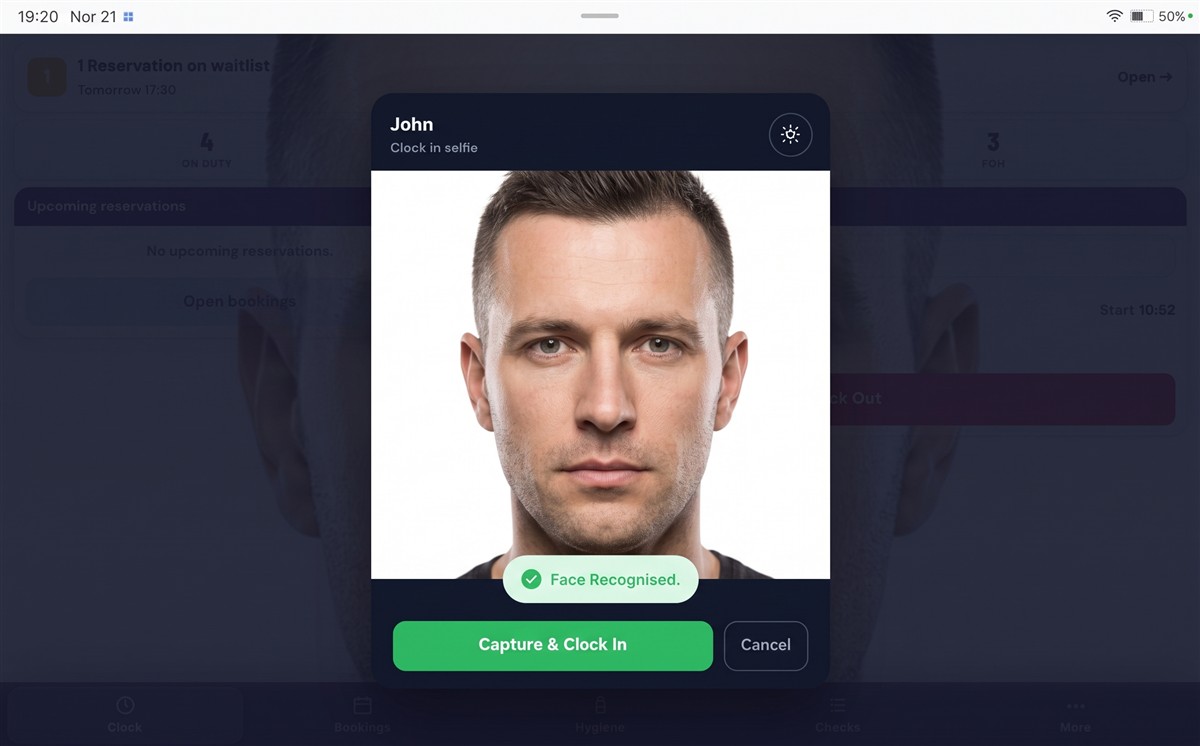
Staff take a selfie to clock in. When a face is recognised, they tap Capture & Clock In. Live headcount, breaks, wages and rota sit in the same staff toolkit — so buddy punching is harder to hide.
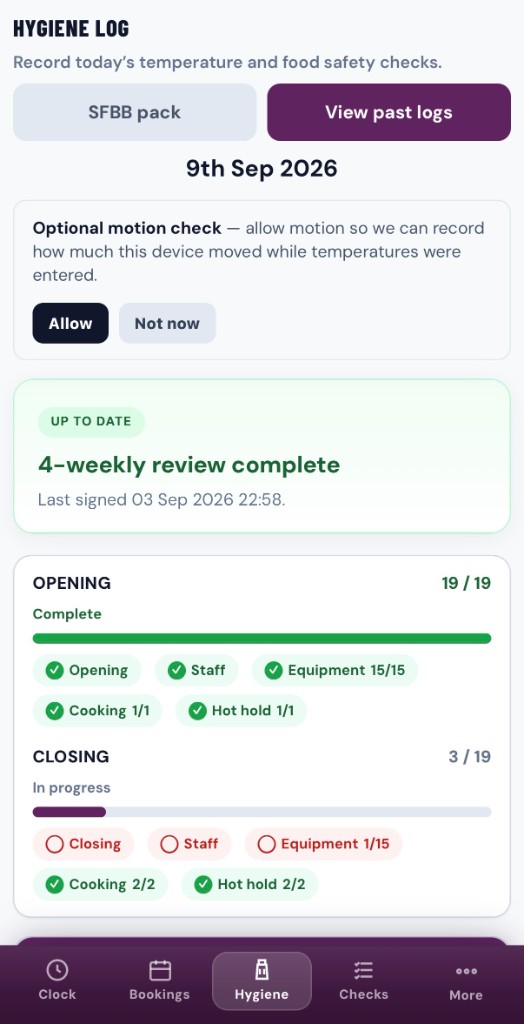
Open Hygiene Log to record today’s temperatures and food-safety checks. The SFBB pack is one tap away, with opening and closing progress you can read in seconds.
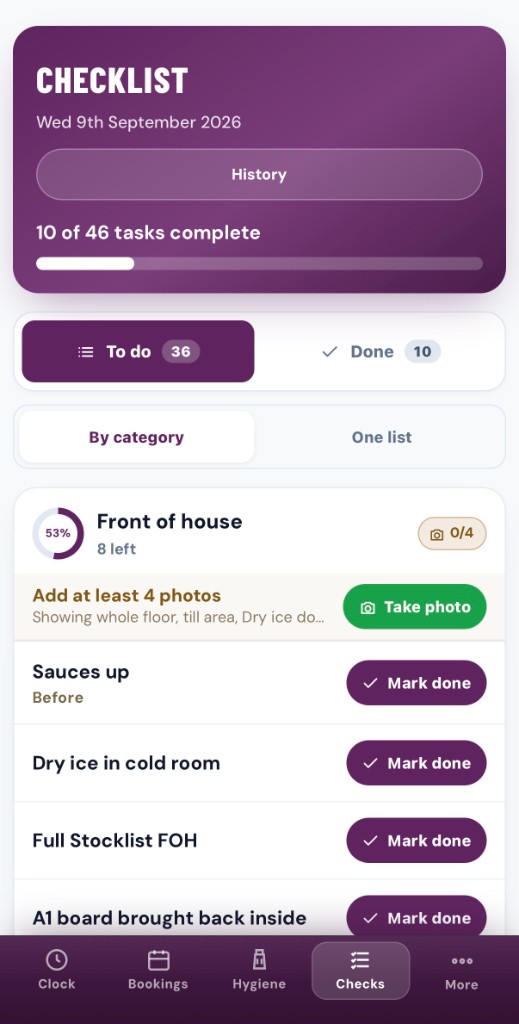
Staff work a To do list by category. Key jobs ask for photos; everything else is Mark done. Progress is clear per area — then History keeps the signed record.
Managers set the modules. Staff complete them on shift. You can see who has finished, who is outstanding, and keep the record with the employee.
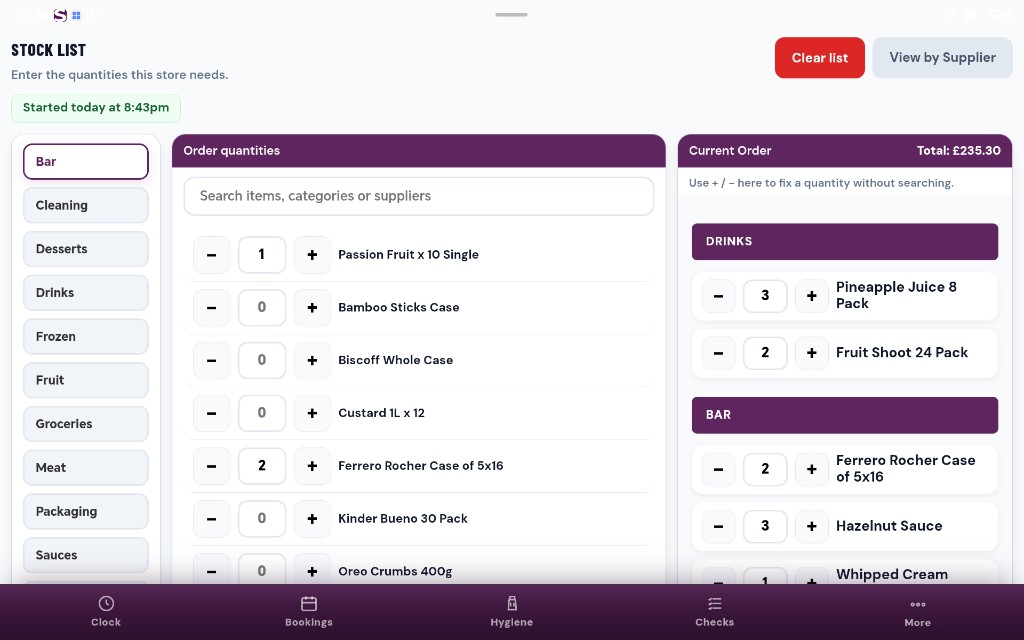
Open Stock List, pick a category, set quantities, and watch the current order total update. Send by supplier when you are ready — daily P&L sits alongside so profit is not a month-end surprise.
Restaurant includes everything in Takeaway, then adds inventory counts, Google bookings with waitlist, and live table times.
Reserve requests land in SATAI as a waitlist. Staff confirm or decline, guests get SMS, and booked covers sit alongside manual bookings. 100 guest texts a month are included; further texts are £5 per 100.
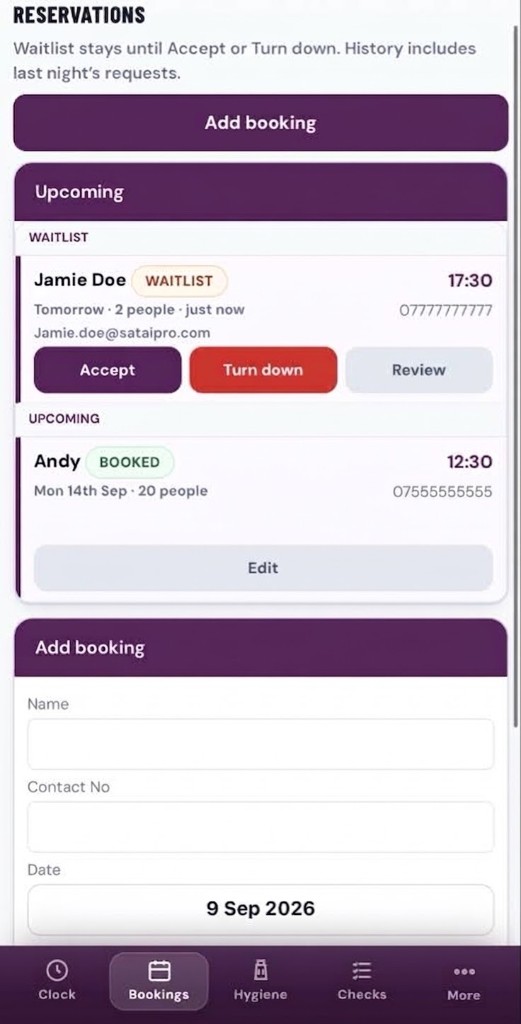
Weekly counts, locked when confirmed, so you know what left the store — not only what was ordered.
Follow tickets from the pass. Late tables are highlighted before the dining room feels it.
Kitchen and booking alerts by push — not burned into your SMS allowance.
Each location still runs the complete Restaurant product. Head office sits above them with one control panel: performance, turnover, comparisons, audits, and royalty Direct Debit so franchise fees clear automatically. Software pricing — bill stores or HQ.
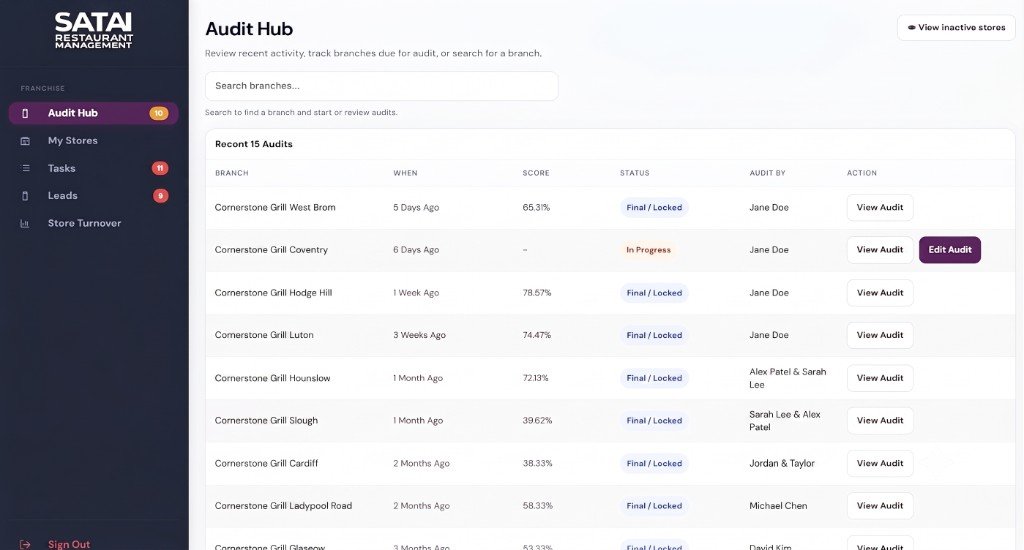
Every shop keeps clock, food safety, stock, bookings and the rest of Restaurant — nothing stripped out.
Sales, staffing and today’s figures across every location.
See which shops are ahead on turnover and ops, and which need support.
The same scored visit at every site, with photos, actions and a PDF.
Optional franchise-fee tools with Direct Debit, so royalty payments clear on time and invoices do not sit outstanding.
Push and in-app alerts when a branch misses a check or needs attention.
No. SATAI PRO runs in the browser on any phone, tablet or computer you already own. There is nothing to install.
Restaurant and Group. Guests book straight from Google, land on a waitlist for Accept or Turn down, and get SMS confirmations. Takeaway is for counter and delivery kitchens that do not need a dining-room book or live table tracking.
Yes. Takeaway, Restaurant and Group include digital food-safety records following HACCP principles and an SFBB pack. Read about SFBB or HACCP.
Every store gets the full Restaurant app. Head office gets a control panel for performance, turnover, comparisons, audits, and optional franchise invoicing. Software is from £69 a store — you can bill each store or head office. See Group and HQ.
Compare the three plans, or request a walkthrough of the software.